How to Secure Your Spenda Account With 2FA

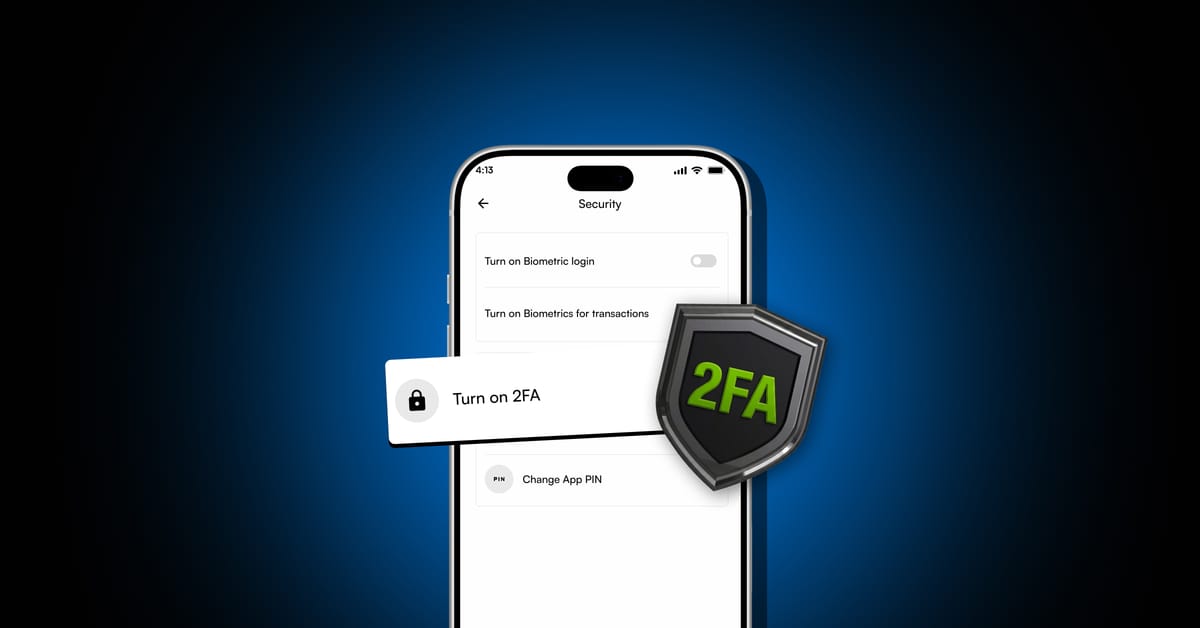
Two-Factor Authentication adds a second layer of protection to your Spenda account, here's how to set it up and use it well.
Your Spenda account gives you access to your money, crypto transactions, cards, and other financial services. That makes account security extremely important.
A strong password is a good first step, but it shouldn't be your only protection. Two-Factor Authentication (2FA) adds another layer of security to help keep your account safe.
What Is 2FA?
Two-Factor Authentication (2FA) is a security feature that requires two forms of verification before you can access your account. Instead of simply entering your password:
2FA adds another step:
This means that even if someone gets your password, they still need the second authentication factor to access your account.
How Does 2FA Work?
When 2FA is enabled on your Spenda account, you'll need to complete an additional security check when required. If you're using an authenticator app, it generates temporary verification codes that change regularly.
Enter your Spenda login details.
Open your authenticator app when prompted.
Enter the current verification code.
Complete the login.
How to Enable 2FA on Spenda
Open the Spenda app and log in.
Go to your Account.
Select Security.
Select Two-Factor Authentication (2FA).
Follow the instructions to connect your authenticator.
Enter the verification code when prompted to complete setup.
The exact setup screens may change as the Spenda app is updated, so always follow the instructions displayed in the app.
Why Should You Enable 2FA?
2FA gives your Spenda account an additional layer of protection against unauthorised access. If someone gets your password through phishing, a compromised website, or another method, they may still be unable to access your account without your second authentication factor.
That said, 2FA is not a replacement for good security habits.
Five Important 2FA Security Rules
Never share your 2FA code
Spenda support will not need your 2FA code to assist you. If someone asks for it, don't share it.
Use a strong, unique password
Don't reuse your Spenda password on other websites or apps.
Keep your recovery details safe
You'll be given backup or recovery codes during setup. Store them somewhere private and secure, and don't send them to anyone.
Beware of fake support
Scammers can impersonate customer support on social media and messaging platforms. Always use Spenda's official support channels: the in-app chat or support@spenda.africa.
Secure your phone
Use a screen lock, keep your device updated, and avoid installing suspicious apps.
What 2FA Doesn't Protect You From
2FA protects your account login, but you still need to be careful when making transactions. It won't prevent you from:
- Sending crypto to the wrong wallet address.
- Choosing the wrong blockchain network.
- Approving a fraudulent transaction.
- Giving your password or 2FA code to a scammer.
Frequently Asked Questions
Is 2FA necessary for my Spenda account?
While security requirements may vary, enabling 2FA is strongly recommended because it provides an additional layer of protection.
Can I share my 2FA code with Spenda support?
No. Never share your 2FA code, password, or other security credentials with anyone.
What if I lose access to my authenticator?
Use any available recovery option provided during setup. If you're unable to access your account, contact Spenda through its official support channel.
Does 2FA completely protect my account?
No security feature provides complete protection. 2FA should be combined with a strong password, a secure device, and awareness of phishing and scams.
Final Thoughts
2FA is one of the simplest ways to add an extra layer of protection to your Spenda account. Enable 2FA, use a strong password, keep your codes private, and stay alert for scams. Account security isn't just Spenda's responsibility, it's something we all need to take seriously.
Secure Your Account